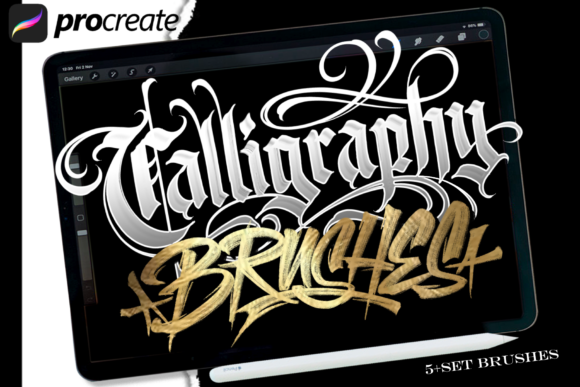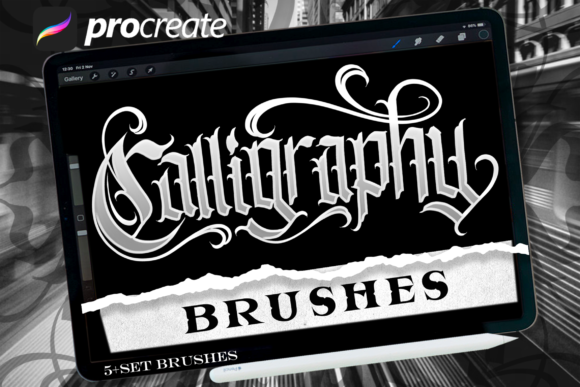
Blackletter Brush 1: Bridging the Gap Between Traditional Calligraphy and Digital Creation
We have been working with lettering for a long time, observing the evolution of tools from traditional nibs and ink to modern tablets. Recently, we’ve noticed a distinct demand on specific materials for people who would like to work with lettering digitally. As a lettering artist who focuses almost exclusively in analog artwork, I understand the frustration that comes with trying to replicate the organic feel of hand-drawn strokes on a glass screen. That is why we’ve spent hours of time dedicated to creating handmade resources analog style to work digitally in Procreate using the iPad Pro and Apple Pencil.
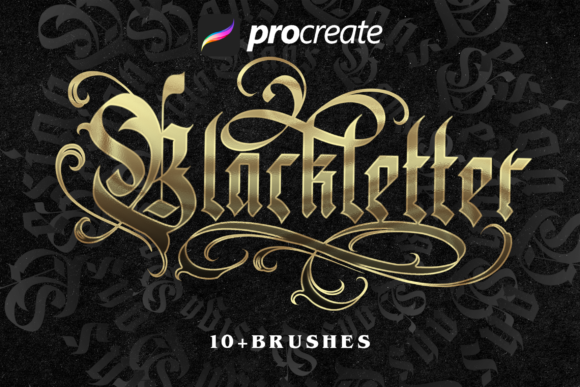
This journey wasn’t just about copying existing brushes; it was about studying what works and what does not to create our own extensive brush sets. The result is Blackletter Brush 1, a tool designed to allow you to have a perfect possibility of creation. In this article, we will explore how this digital extension of analog art can transform your workflow, whether you are a seasoned designer or someone just starting their creative journey.
The Analog Soul in a Digital World
Digital art often suffers from a lack of "soul." Brushes can be too uniform, too clean, or simply too predictable. Blackletter Brush 1 was born out of a desire to fix this. It includes 8 amazing blackletter brushes that have been meticulously crafted to mimic the behavior of real-world calligraphy tools. These aren't just static PNG images mapped to a cursor; they are dynamic tools that respond to pressure, tilt, and speed, much like a physical reed pen or broad-edge nib.
When you use Blackletter Brush 1, you are not just drawing lines; you are simulating the friction of ink on paper. This allows you to make lettering designs, posters, flyers, or design anything without any limitations as you wish. The goal is to provide an experience where the digital medium feels transparent, letting your artistic intent shine through without the technical barriers often associated with stylus-based drawing.
Real-World Applications for Various Creators
One of the most common questions we receive is, "Who actually needs specialized blackletter brushes?" The answer is surprisingly broad. While the name suggests a niche historical style, the application is versatile across several industries and creative pursuits.
Wedding and Event Designers
If you design invitations, save-the-dates, or signage for weddings, the elegance of blackletter script is timeless. Using Blackletter Brush 1, designers can quickly sketch out custom monograms and headers. Instead of relying on pre-made fonts that might clash with a specific theme, you can hand-letter unique elements that add a personal touch. This level of customization is highly valued by clients looking for bespoke experiences.
Social Media Content Creators
In the fast-paced world of Instagram and Pinterest, visual uniqueness is currency. Brands and influencers often look for typography that stands out in a feed filled with generic sans-serif text. By using these brushes to create quote graphics, announcement posts, or branded stories, creators can inject personality into their content. The "analog touches" mentioned in our design philosophy ensure that even digital posts feel warm and human, which tends to drive higher engagement rates.
Fashion and Streetwear Labels
There is a growing trend in streetwear and indie fashion that embraces gothic and medieval aesthetics. Logos, t-shirt graphics, and album covers often benefit from the sharp, dramatic lines of blackletter. With Blackletter Brush 1, graphic designers can iterate rapidly. You can experiment with thick thicks and thin thins, adjusting the weight of the stroke to fit different garment prints or merchandise items without needing to redraw from scratch every time.
Why Handmade Digital Resources Matter
You might wonder why we didn't just download a free brush pack from the internet. The difference lies in intentionality. We designed sets of brushes of lettering tools because we wanted to control every variable. When you create something by hand first, you understand the physics of the movement. Then, when you translate that to Procreate, you account for the lag, the pixel density, and the pressure sensitivity curves of the Apple Pencil.
This process ensures that the brushes behave consistently. For instance, some digital brushes fail when you slow down, resulting in jagged edges or inconsistent opacity. Our brushes maintain their character regardless of your speed. This reliability is crucial for professionals who need to deliver high-quality work under tight deadlines. You don't want to spend hours fixing a single letter because the brush acted unpredictably.
Considerations Before You Start
While Blackletter Brush 1 is powerful, it requires a certain approach to get the best results. Here are a few practical observations to keep in mind:
- Pressure Sensitivity is Key: To truly leverage the analog feel, you must use pressure sensitivity. If you press lightly, you get delicate hairlines; press harder, and you achieve bold, impactful strokes. Turning off pressure sensitivity in Procreate will significantly diminish the effectiveness of these brushes.
- Practice Makes Perfect: Even though these are digital tools, the muscle memory required for blackletter is similar to traditional calligraphy. If you are new to the style, start with basic drills. Focus on consistent spacing and rhythm before attempting complex compositions.
- Layer Management: To take advantage of the full potential of digital creation, use layers effectively. Keep your base structure on one layer and your detailed flourishes on another. This allows for easy corrections and experimentation without ruining your initial draft.
Overcoming Common Limitations
No tool is perfect, and it is important to be aware of potential limitations. Blackletter scripts can sometimes appear cluttered if overused. Because Blackletter Brush 1 produces such detailed and textured strokes, using them for body text (long paragraphs) can reduce readability. It is best reserved for headlines, titles, logos, and short phrases.
Additionally, the complexity of the brushes means they may require more processing power on older devices. While optimized for the iPad Pro, users with older models might experience slight latency during rapid movements. Testing your setup beforehand can help mitigate this. Furthermore, while the brushes simulate analog textures, they do not physically interact with the screen's surface. Some artists miss the tactile feedback of paper. However, many find that the visual reward outweighs the lack of physical texture, especially given the ease of undoing mistakes—a feature impossible with real ink.
Embracing Creative Freedom
The ultimate goal of Blackletter Brush 1 is to remove barriers. Whether you are designing a vintage-style poster for a local concert or crafting a custom logo for a coffee shop, the ability to blend digital efficiency with analog aesthetics opens up new avenues for creativity. You are no longer bound by the rigidity of standard fonts or the messiness of permanent ink.
By integrating these 8 amazing blackletter brushes into your Procreate workflow, you gain a versatile toolkit that adapts to your vision. It is about empowering the creator to focus on the art, not the mechanics. As we continue to refine our understanding of digital lettering, tools like this serve as a reminder that technology should enhance, not replace, the human touch. So, pick up your Apple Pencil, open Procreate, and start exploring the rich history of blackletter in a completely new light.