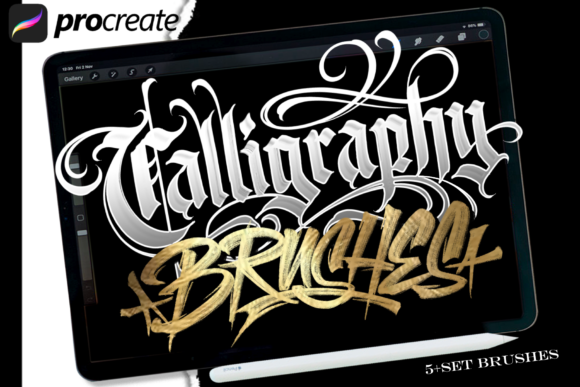
Calligraphy Brush Procreate 2: Bridging the Gap Between Analog Tradition and Digital Precision
We have been working with lettering for a long time. Our journey began not on screens, but with ink, paper, and the tactile resistance of traditional tools. However, recently we’ve noticed a significant demand from creators who wish to work with lettering digitally. There is a growing desire to capture the soul of analog art within the convenience of modern technology. As a lettering artist who focuses almost exclusively on analog artwork, I understand this struggle intimately. We spent hours dedicated to creating handmade resources in an analog style specifically to work digitally in Procreate using the iPad Pro and Apple Pencil.
The transition from physical media to digital canvases is rarely seamless. Many artists assume that buying a brush pack is enough to achieve professional results. This is often where the disconnect happens. We studied what works and what does not, analyzing pressure sensitivity, tilt response, and texture mapping to create our own extensive brush sets. The result is Calligraphy Brush Procreate 2, a tool designed to make it easier for you to be creative in making digital works with analog touches that look very real.
Why Digital Lettering Often Falls Flat
Before diving into the specifics of Calligraphy Brush Procreate 2, it is crucial to address why many digital lettering projects fail to impress. A common mistake beginners and even intermediate users make is relying on default brushes or cheap, generic packs. These tools often lack the nuance required for authentic lettering. They feel "plastic" because they do not react to the subtle shifts in your hand pressure or angle.
When you use a brush that does not mimic the behavior of a real pen, your lettering loses its organic flow. The lines become uniform and lifeless. This affects the final presentation significantly. Whether you are designing posters, flyers, or branding materials, the quality of the typography speaks to the professionalism of the creator. If the lettering looks like it was generated by a computer font rather than drawn by a human hand, it undermines the artistic intent.
Another overlooked detail is the resolution of the canvas. Many users attempt to draw at low resolutions to save processing power. This results in jagged edges when the design is scaled up for print. Calligraphy Brush Procreate 2 is optimized for high-resolution workflows, ensuring that every stroke remains crisp and detailed, allowing you to design anything without any limitations as you wish.
The Importance of Tactile Feedback in Digital Tools
One of the primary reasons people seek out specialized tools like Calligraphy Brush Procreate 2 is the desire for tactile feedback. In the analog world, you can feel the tooth of the paper and the drag of the nib. Digital tablets, despite their advancements, can sometimes feel slippery. To counter this, our brush set includes textures and dynamics that simulate friction.
This simulation is vital for control. When a brush responds realistically to speed and pressure, you gain better command over line weight variation. For example, a quick flick of the wrist should produce a thin, tapered line, while a slow, heavy press should yield a bold, rich stroke. Generic brushes often ignore these variables, leading to inconsistent results. By using a brush set that has been refined through extensive testing, you ensure that your digital output retains the character of handmade art.
- Pressure Sensitivity: Ensure your brush reacts to light vs. heavy touches to create dynamic contrast.
- Tilt Response: Real calligraphy pens change shape based on the angle of the nib. Good brushes replicate this shift.
- Texture Mapping: Subtle grain or bleed effects add realism, preventing the "digital sheen" that makes art look artificial.
What’s Inside Calligraphy Brush Procreate 2?
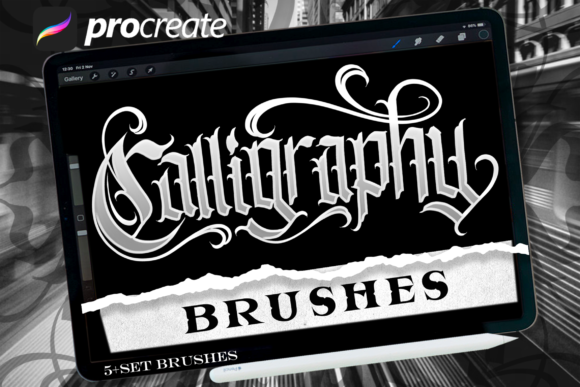
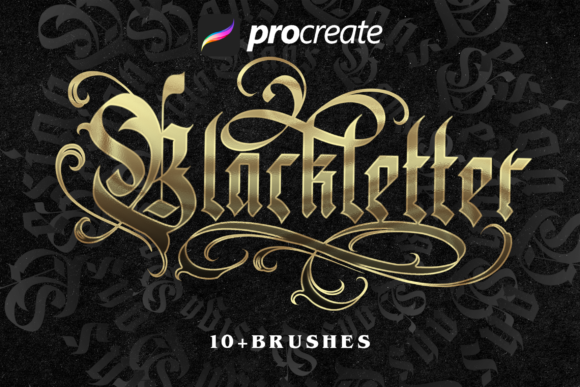
Calligraphy Brush Procreate 2 includes 6 amazing blackletter brushes. Blackletter, also known as Gothic script, is one of the most challenging styles to master due to its complex geometry and strict rules. It requires precision and consistency. Our brushes are engineered to assist with these challenges by providing consistent line widths and sharp serifs right out of the box, while still allowing for personal flair.
These brushes are not just about aesthetics; they are about efficiency. For professionals, marketers, and small business owners, time is money. Having a reliable set of brushes means you spend less time adjusting settings and more time creating. You can use them to make lettering designs, posters, flyers, or design anything without any limitations as you wish. The versatility of the set allows you to switch between different weights and styles seamlessly, maintaining a cohesive look across your entire project.
Furthermore, the inclusion of these specific blackletter brushes addresses a niche market need. While there are plenty of round and liner brushes available, few offer the depth and accuracy required for historical or decorative scripts. This specificity makes Calligraphy Brush Procreate 2 a valuable asset for educators teaching lettering, freelancers looking to expand their service offerings, and hobbyists eager to explore new styles.
Evaluating Your Digital Workflow
Before committing to any digital tool, it is wise to evaluate your current workflow. Are you struggling with inconsistency? Do your letters look too rigid? If so, the issue may lie in your brush selection rather than your skill level. Calligraphy Brush Procreate 2 is designed to correct these issues by providing a stable foundation for your creativity.
Consider the following checklist before making a decision or using Calligraphy Brush Procreate 2:
- Compatibility: Ensure the brushes are optimized for the latest versions of Procreate and compatible with your specific iPad model.
- Customization: Check if the brushes allow for further customization. The best tools adapt to your unique hand movement.
- Support and Updates: Look for creators who stand behind their products. We have spent hours refining these brushes, and we continue to support our users with tips and updates.
- Realistic Expectations: Remember that no brush can replace practice. However, the right tools can accelerate your learning curve and improve the quality of your output.
Avoiding Common Pitfalls in Digital Art
Many users make the mistake of layering too many effects. Just because you have digital tools doesn't mean you need to overcomplicate your design. Simplicity often yields the most powerful results. Use Calligraphy Brush Procreate 2 to establish strong, clean lettering, and then add minimal accents. Over-processing can detract from the elegance of the lettering itself.
Additionally, be mindful of file management. High-quality brushes and high-resolution canvases can consume storage space quickly. Organize your layers and groups effectively to maintain a smooth workflow. This organizational habit is just as important as the brush choice itself. It ensures that you can revisit and edit your work efficiently, which is crucial for professionals dealing with client revisions.
Conclusion
In conclusion, the bridge between analog tradition and digital innovation is built on thoughtful tool selection. Calligraphy Brush Procreate 2 represents years of study, experimentation, and dedication to the craft of lettering. It offers a perfect possibility of creation for those who want to merge the beauty of handmade art with the efficiency of digital design. By avoiding common mistakes such as using generic brushes or neglecting resolution settings, you can elevate your work to a professional standard.
Whether you are a beginner exploring the world of calligraphy or a seasoned pro looking to streamline your process, this brush set provides the reliability and realism needed to succeed. Embrace the analog touches in your digital workspace, and let your creativity flow without boundaries. With the right tools in hand, the only limit is your imagination.